
Schedule
Where bookings land.
Publish a booking page clients can open on their phone. They pick service, professional, and time; the appointment appears on reception’s grid — with optional deposit when you need commitment.
Publica una página de reserva que el cliente abre en el móvil. Elige servicio, profesional y hora; la cita aparece en la agenda de recepción — con seña opcional cuando necesitas compromiso.
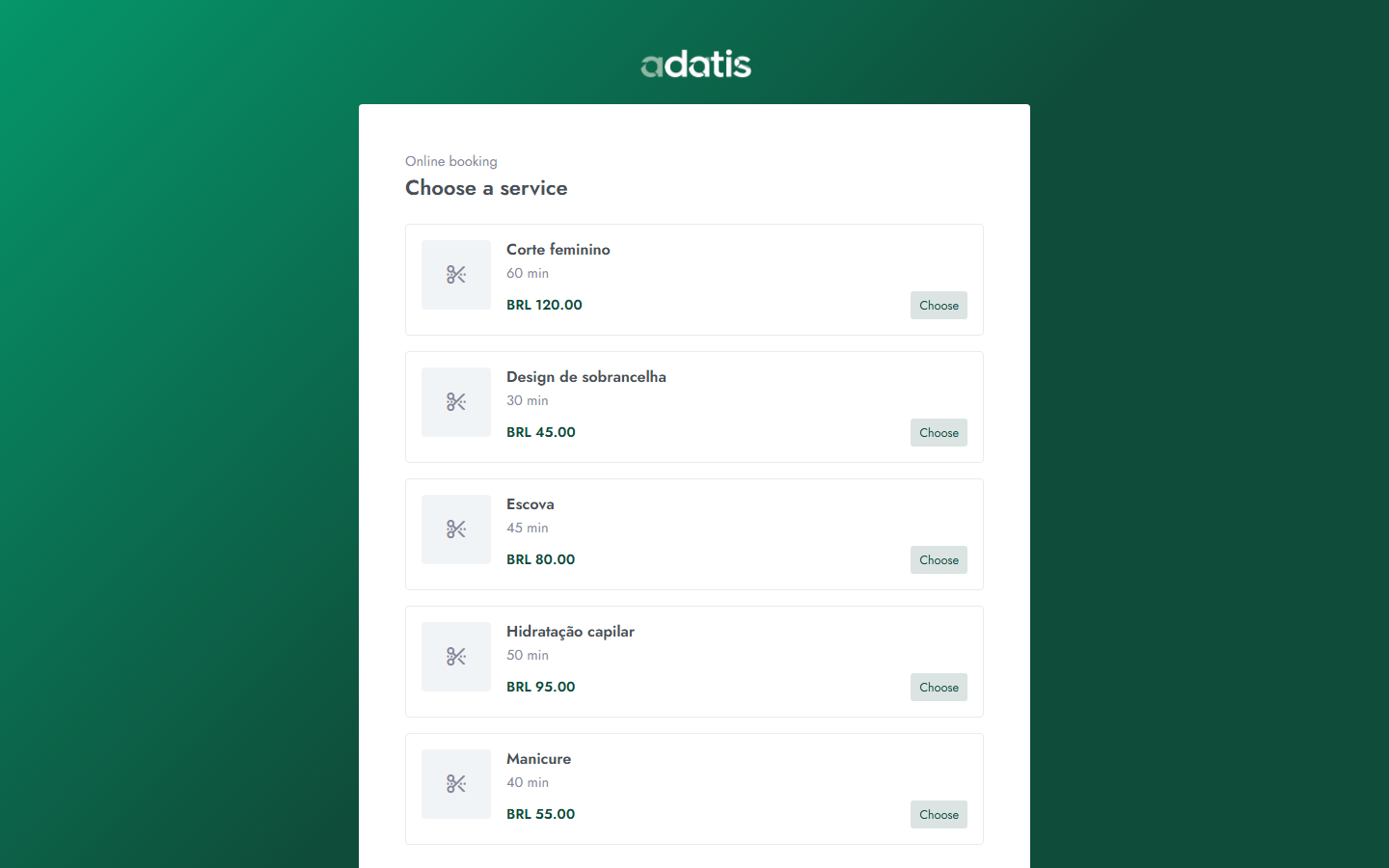
You decide which services and professionals are bookable online, opening hours, and buffers. Reception still owns the day — the link just fills the grid with real intent.
For long services or peak hours, require a deposit before confirmation. Payment settles through your connected provider; Adatis confirms the booking in the panel.
Pair online booking with email and WhatsApp Lite reminders so clients remember the appointment. Fewer empty chairs without chasing every message by hand.
Decides qué servicios y profesionales se pueden reservar online, horarios y márgenes. La recepción sigue dueña del día — el enlace solo llena la agenda con intención real.
En servicios largos u horas pico, exige seña antes de confirmar. El pago liquida con tu proveedor conectado; Adatis confirma la reserva en el panel.
Combina la reserva online con recordatorios por email y WhatsApp Lite para que el cliente recuerde la cita. Menos sillas vacías sin perseguir cada mensaje a mano.
No. They open your booking link, fill the essentials, and confirm. You manage the account in the panel.
Yes. Choose what is public. High-touch treatments can stay reception-only.
Reception sees the same grid. Block time or leave buffers so walk-ins still fit.
No. Abren tu enlace, completan lo esencial y confirman. Tú gestionas la cuenta en el panel.
Sí. Eliges qué es público. Tratamientos delicados pueden quedar solo en recepción.
Recepción ve la misma agenda. Bloquea tiempo o deja márgenes para que entren walk-ins.
Start a 30-day free trial on panel.adatis.app — no card required.
Start free trialEmpieza 30 días gratis en panel.adatis.app — sin tarjeta.
Empezar prueba gratis